100 Days of Cloud (Azure Edition)
Day 9 of Cloud (Azure Edition)
AZURE
Nyan
12/2/2025
Day 9: Attach Network Interface Card (NIC) to Azure Virtual Machine
Task: The Nautilus DevOps team is migrating services to Azure. They are breaking down tasks to ensure better control and optimization. You are tasked with attaching an existing network interface (NIC) to a virtual machine (VM).
An existing VM named xfusion-vm and a network interface named xfusion-nic already exist in the West US region.
Attach the network interface xfusion-nic to the VM xfusion-vm. Ensure the NIC's status is attached before submitting the task.
Make sure that the virtual machine initialisation has been completed before submitting this task.
Use below given Azure Credentials: (You can run the `showcreds` command on the `azure-client` host to retrieve these credentials)
Day 9 of 100 Days of Cloud (Azure Edition) : Solution
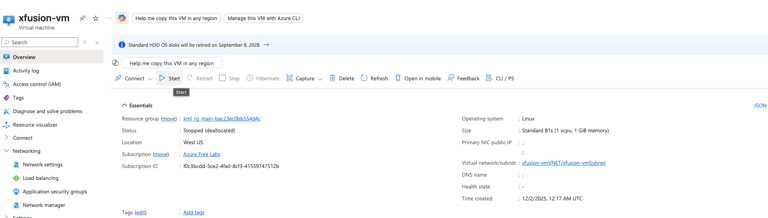
Type vm in the search portal and choose Virtual Machines.
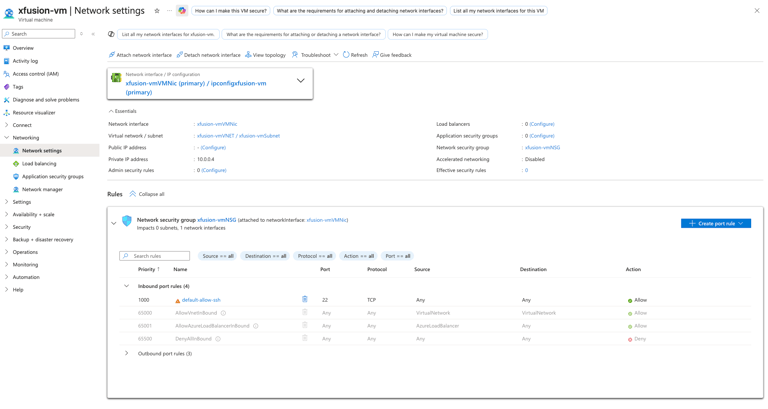
Choose a existing virtual machine and choose Networking tab.
Day 9 of 100 Days of Cloud (Azure Edition) : Cheers
Click Add a subnet button.
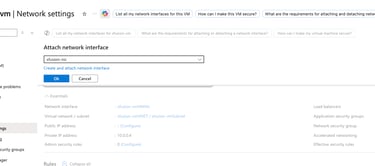
Click Attach Network Interface before doing this P.S. Stop the existing virtual machine before.
Choose the xfusion-nic and attach this NIC and click OK.
Leave the existing setting as default and Add a subnet.



Start the VM again and the task is done.