100 Days of Cloud (Azure Edition)
Day 27 of Cloud (Azure Edition)
AZURE
Nyan
12/20/2025
Day 27: Deploying Virtual Machines in a Private Virtual Network
Task: The Nautilus DevOps team is expanding their Azure infrastructure and requires the setup of a private Virtual Network (VNet) along with a subnet. This VNet and subnet configuration will ensure that resources deployed within them remain isolated from external networks and can only communicate within the VNet. Additionally, the team needs to provision a Virtual Machine (VM) under the newly created private VNet. This VM should be accessible over SSH from within the VNet only, allowing for secure communication and resource management within the Azure environment.
The name of the VNet must be devops-priv-vnet, create a subnet named devops-priv-subnet under the same. Further, create a Virtual Machine named devops-priv-vm under this VNet. Additionally, create a Network Security Group (NSG) named devops-priv-nsg, and ensure that the NSG rules for the VM allow access only from within the VNet's CIDR block. Ensure all resources are created in the East US region.
Use the below given Azure Credentials: (You can run the showcreds command on azure-client host to retrieve these credentials)
Day 27 of 100 Days of Cloud (Azure Edition) : Solution
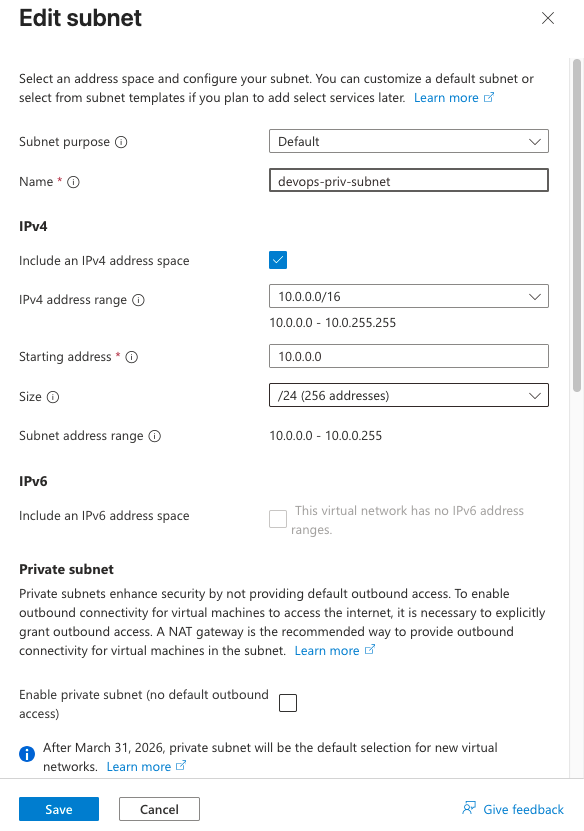
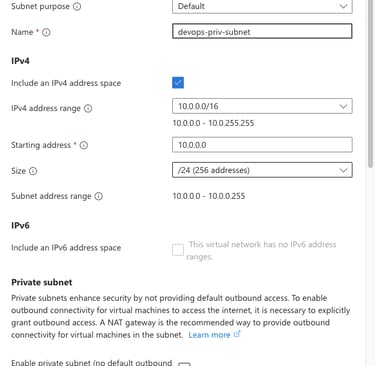
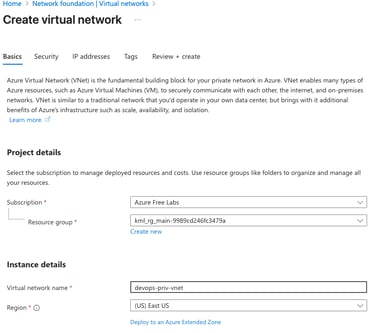
Create a Virtual Network called devops-priv-vnet and under its create a subnet called devops-priv-subnet.
Day 27 of 100 Days of Cloud (Azure Edition) : Cheers


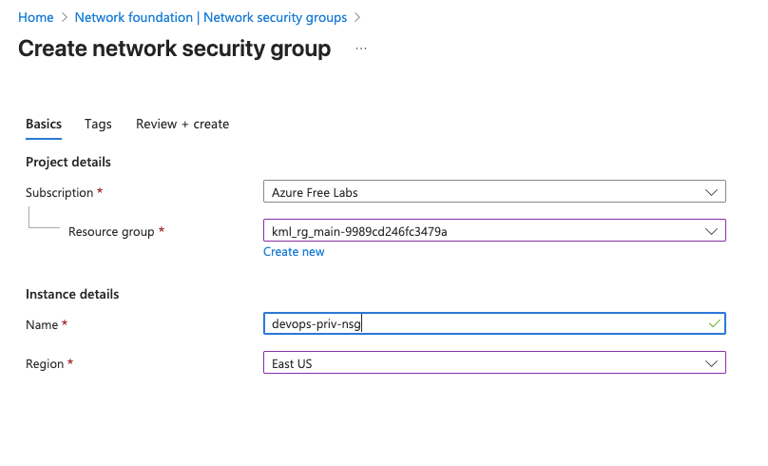
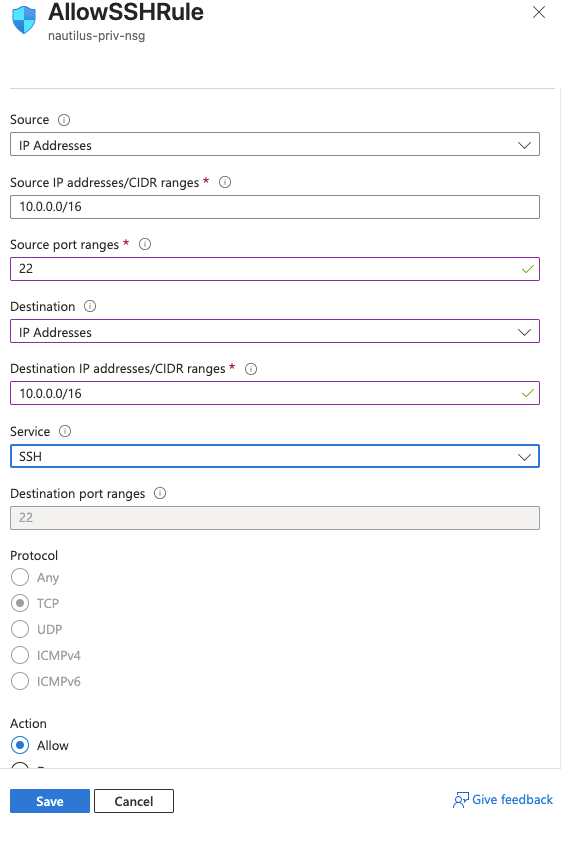
Create a NSG called devops-priv-nsg and under its create a inbound rule which allows 10.0.0.0/16 (devops-priv-subnet) to allow the ssh access into the VM.
To associate Virtual network's subnet with NSG, Under NSG's setting, choose subnet and Associate with devops-priv-subnet.
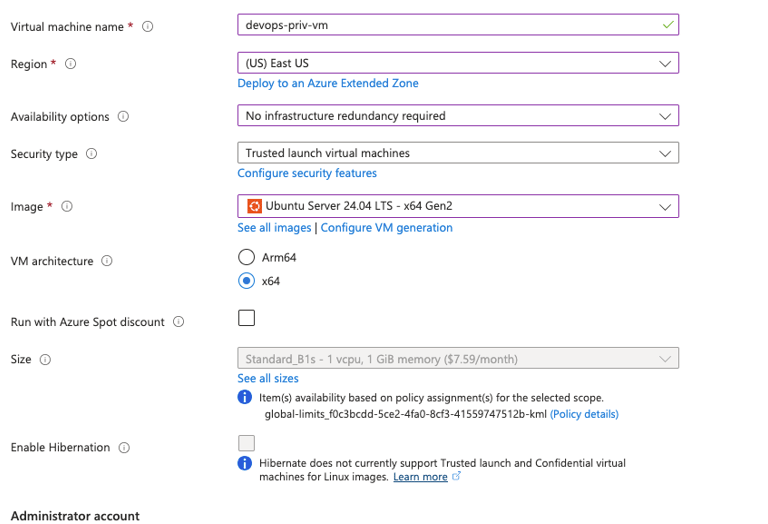
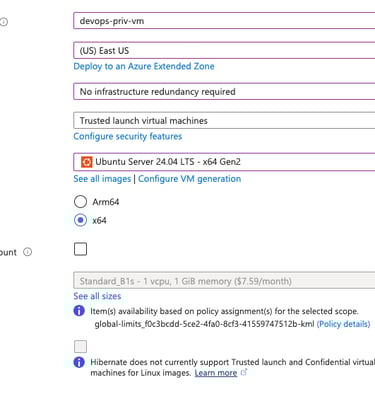
To create the devops-priv-vm, choose the region as East US, OS Image as Ubuntu 24.04 LTS, VM Size as Standard B1S. HardDisk Type as Standard SSD LRS.
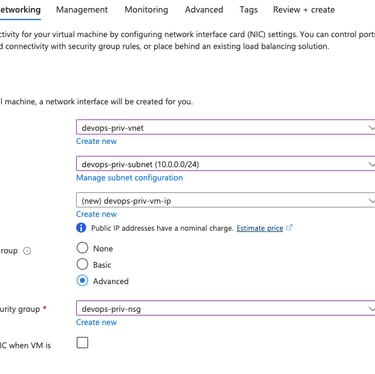
Choose the networking setting as shown in below.
After that Review + Create button to create the VM.