100 Days of Cloud (Azure Edition)
Day 22 of Cloud (Azure Edition)
AZURE
Nyan
12/15/2025
Day 22: Configuring Instances with User Data
Task: The Nautilus DevOps Team is working on setting up a new virtual machine (VM) to host a web server for a critical application. The team lead has requested you to create an Azure VM that will serve as a web server using Nginx. This VM will be part of the initial infrastructure setup for the Nautilus project. Ensuring that the server is correctly configured and accessible from the internet is crucial for the upcoming deployment phase.
As a member of the Nautilus DevOps Team, your task is to create a VM with the following specifications:
Instance Name: The VM must be named devops-vm.
Image: Use any available Ubuntu image to create this VM.
Custom Script Extension/User Data: Configure the VM to run a custom script during its launch. This script should:
Install the Nginx package.
Start the Nginx service.
Network Security Group (NSG): Ensure that the VM allows HTTP traffic on port 80 from the internet.
Use below given Azure Credentials: (You can run the showcreds command on the azure-client host to retrieve credentials)
Day 22 of 100 Days of Cloud (Azure Edition) : Solution
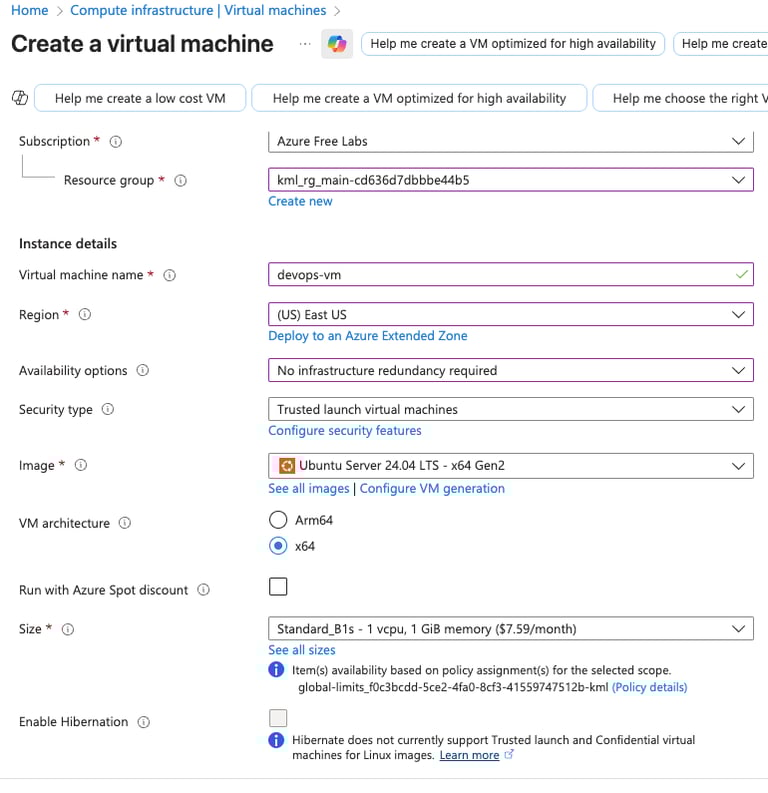
Choose Virtual Machine in the portal to create VM.
Choose existing resource group.
Give the vm name as devops-vm as provided in the lab.
Choose region as East US.
Choose OS type as Ubuntu 24.04 LTS.
Choose VM size as Standard B1s.

Day 22 of 100 Days of Cloud (Azure Edition) : Cheers


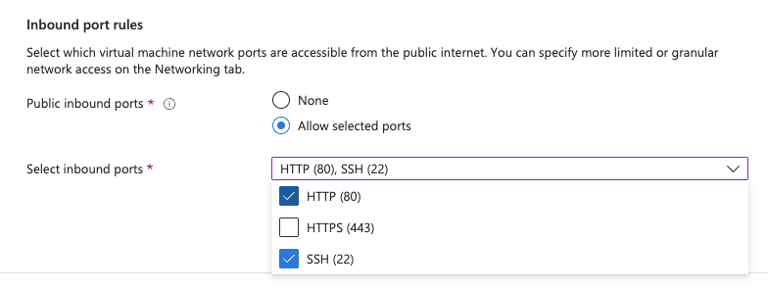
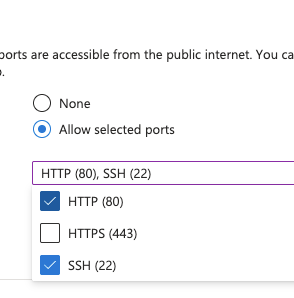
For Inbound port rules, choose SSH and HTTP for VM login and webpage access for NGINX.
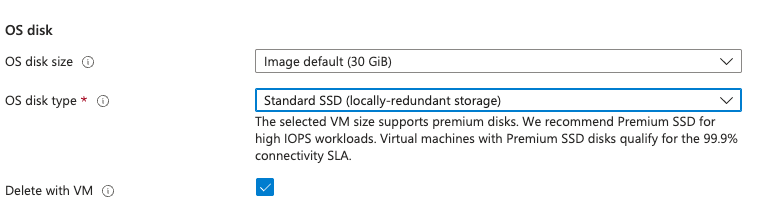
In Disk setting, choose os disk type as Standard SSD for cost saving.

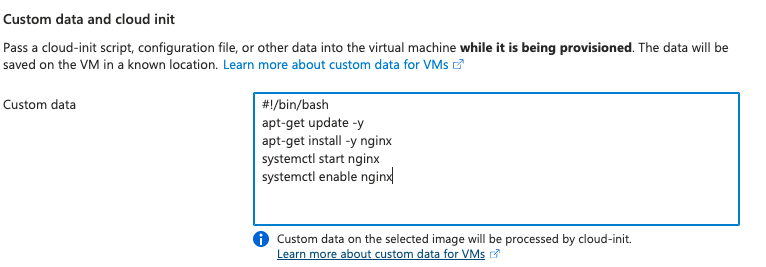
For the installation of the nginx service, we need to write down the script as follows:
#!/bin/bash
apt-get update -y
apt-get install -y nginx
systemctl start nginx
systemctl enable nginx
After that, click Review + Create to create the VM.
P.S. Download SSH Key pair to login access into VM.