100 Days of Cloud (Azure Edition)
Day 21 of Cloud (Azure Edition)
AZURE
Nyan
12/14/2025
Day 21: Assigning Public IP to Virtual Machines
Task: The Nautilus DevOps Team has received a new request from the Development Team to set up a new Azure Virtual Machine (VM). This VM will be used to host a new application that requires a stable public IP address. To ensure that the VM has a consistent public IP, a Static Public IP address needs to be associated with it. The VM will be named nautilus-vm, and the Static Public IP will be named nautilus-pip. This setup will help the Development Team to have a reliable and consistent access point for their application.
Create an Azure VM named nautilus-vm using any available Ubuntu image, with the VM size Standard_B1s.
Generate an SSH public key on the azure-client host and associate it with the VM for SSH access.
Associate a Static Public IP address named nautilus-pip with this VM.
Ensure the VM is accessible via SSH using the generated public key.
Use below given Azure Credentials: (You can run the showcreds command on the azure-client host to retrieve credentials)
Day 21 of 100 Days of Cloud (Azure Edition) : Solution
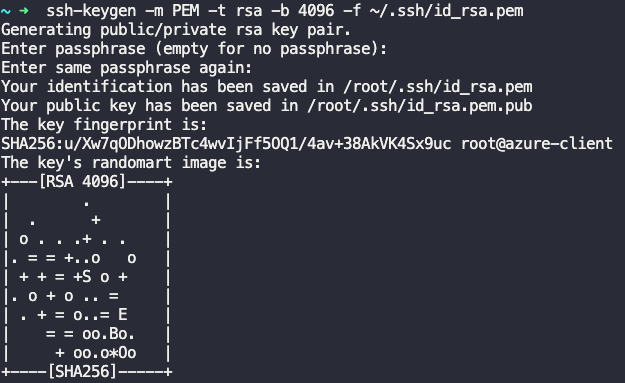
Generate the ssh RSA key in the jump host via this command.
ssh-keygen
Day 21 of 100 Days of Cloud (Azure Edition) : Cheers


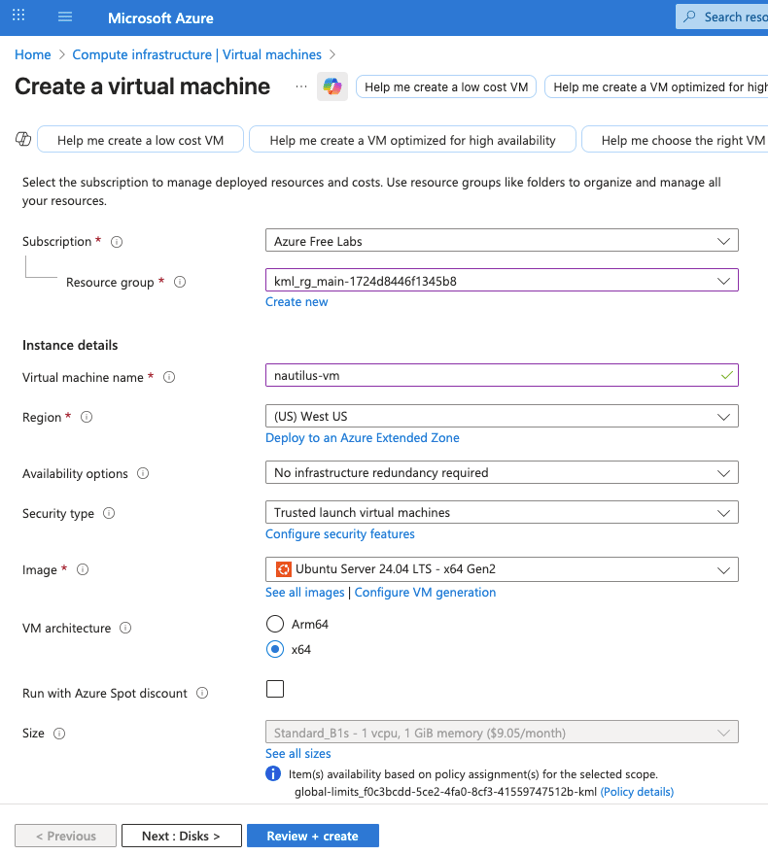
For create a virtual machine, choose the existing resource group and give the vm name as datacenter-vm as provided in the lab. Choose the Image as Ubuntu Server 24.04 LTS. Choose the size as Standard B1s.
PS. PLEASE CHOOSE THE OS DISK as Standard HDD.
P.S. CREATE A NEW RESOURCE GROUP AND make sure the region is in East US.


For the Authentication, choose username as azureuser.
In SSH public key source, choose use existing public key.
To view the public key, using cat command in the jump host.
Leave the remaining setting as default and click Review + Create button to create the VM.
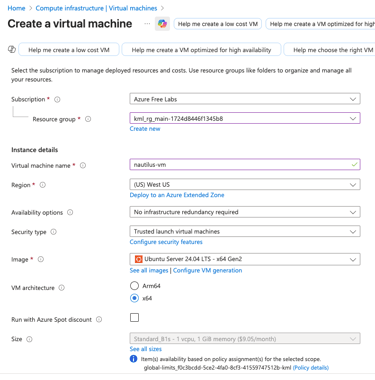
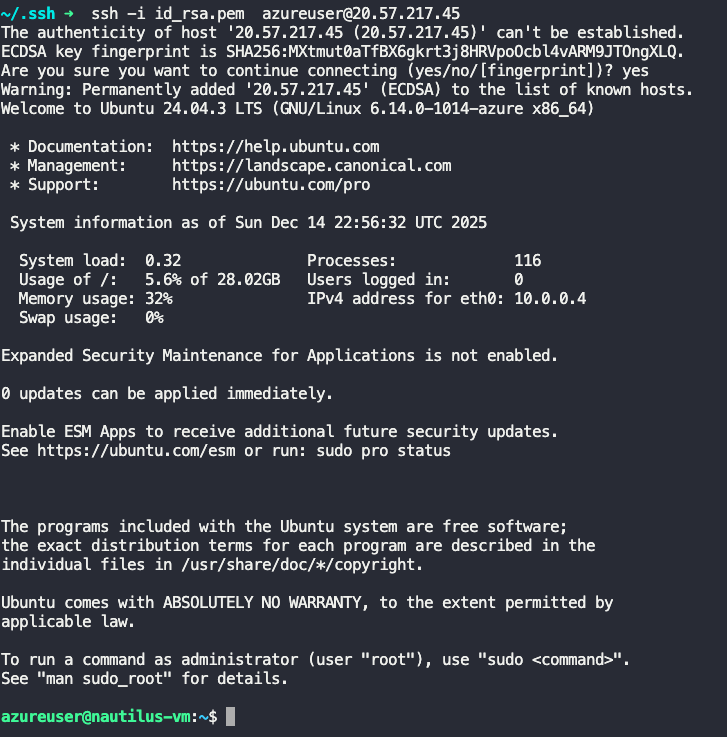
Try to access the vm by using the created private ssh key file and VM's public IP address.
ssh -i <private-key-file-path> azureuser@20.57.217.45