





100 Days of Cloud (Azure Edition)
Day 20 of Cloud (Azure Edition)
AZURE
Nyan
12/12/2025
Day 20: Backup and Delete Azure Storage Blob Container
Task: The Nautilus DevOps team is currently engaged in a cleanup process, focusing on removing unnecessary data and services from their Azure environment. As part of the migration process, several resources were created for one-time use only, necessitating a cleanup effort to optimize their Azure environment.
A private blob container named xfusion-blob-23970 already exists in the East US region under storage account xfusionst16246.
1) Copy the contents of xfusion-blob-23970 blob container to the /opt directory on the azure-client host (the landing host once you load this lab).
2) Delete the blob container xfusion-blob-23970 from the storage account.
Use below given Azure Credentials: (You can run the showcreds command on the azure-client host to retrieve credentials)
Day 20 of 100 Days of Cloud (Azure Edition) : Solution
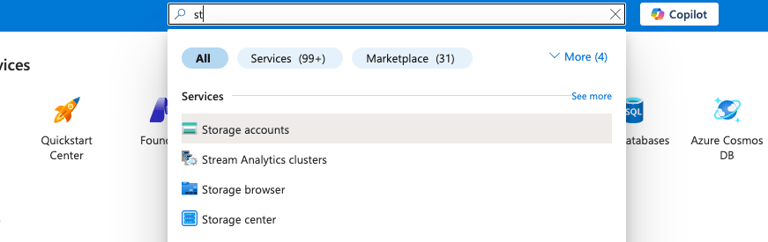
Type st in the search box and choose Storage accounts.
Day 20 of 100 Days of Cloud (Azure Edition) : Cheers


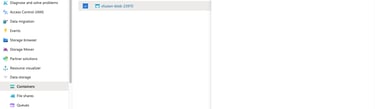
Choose the existing storage account and expand the Data storage tab.
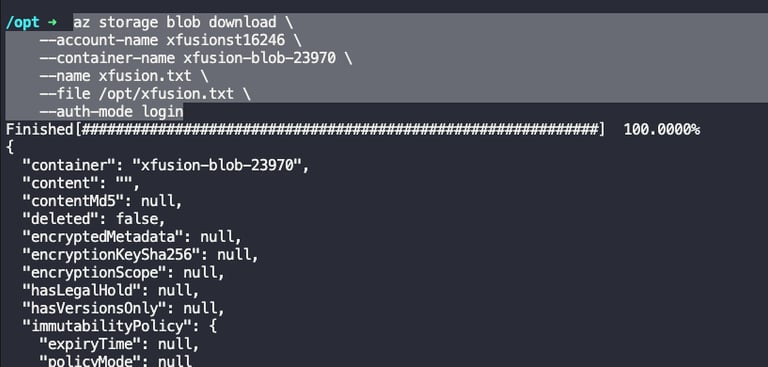
Copy the data from existing storage private container into the jump host by using this command.
az storage blob download \
--account-name xfusionst16246 \
--container-name xfusion-blob-23970 \
--name xfusion.txt \
--file /opt/xfusion.txt \
--auth-mode login

Choose the existing blob container xfusion-blob-23970 and delete button to delete the container from existing storage account.