100 Days of Cloud (Azure Edition)
Day 2 of Cloud (Azure Edition)
AZURE
Nyan
11/25/2025
Day 2: Create an Azure Virtual Machine
Task: The Nautilus DevOps team is planning to migrate a portion of their infrastructure to the Azure cloud incrementally. As part of this migration, you are tasked with creating an Azure Virtual Machine (VM).
The requirements are:
Use the existing resource group.
The VM name must be devops-vm, it should be in West US region.
Use the Ubuntu 22.04 LTS image for the VM.
The VM size must be Standard_B1s.
Attach a default Network Security Group (NSG) that allows inbound SSH (port 22).
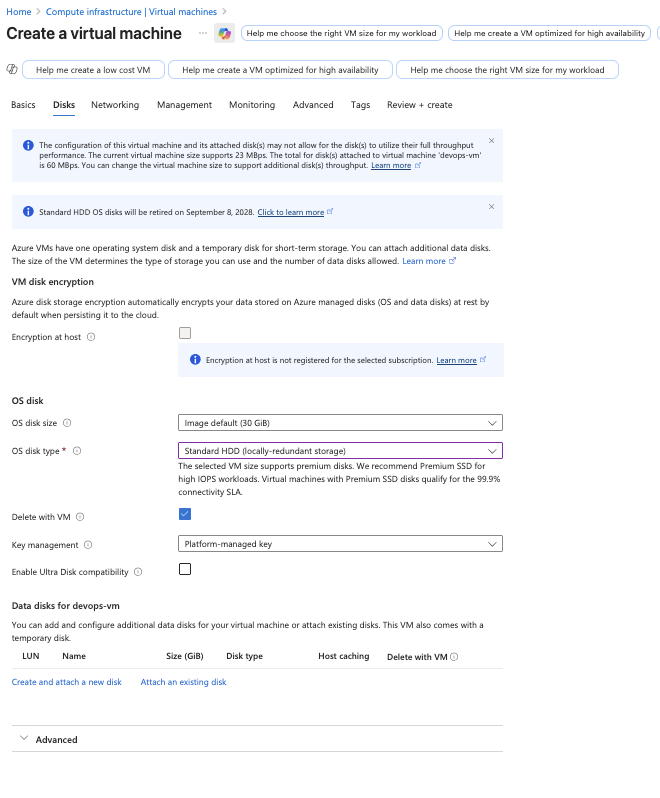
Attach a 30 GB storage disk of type Standard HDD.
The rest of the configurations should remain as default.
After completing these steps, make sure you can SSH into the virtual machine.
Use below given Azure Credentials: (You can run the showcreds command on the azure-client host to retrieve these credentials).
Day 2 of 100 Days of Cloud (Azure Edition) : Solution
Type VM in the azure portal’s search box.
Choose Virtual machines.
Create Virtual machine.
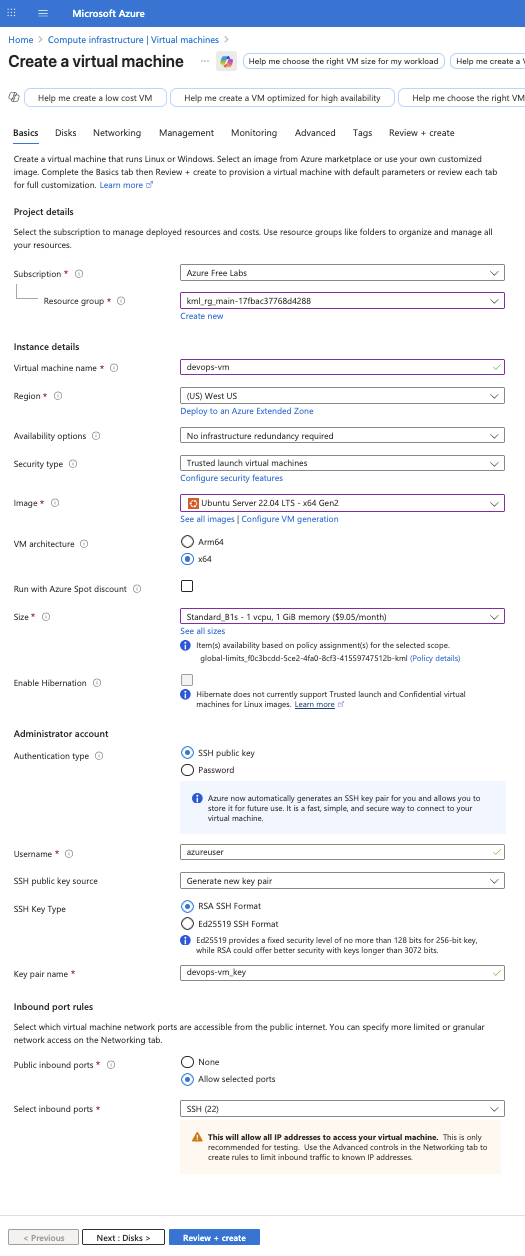
Choose the existing Resource Group.
Give the virtual machine name as devops-vm.
Choose Region as West-US.
Choose VM Image as Ubuntu Server 22.04 LTS x64 Gen2.
Choose VM Size as Standard B1s.
For Authentication, leave it as default setting. (P.S. Don't forget to download the public ssh key before create VM).
Choose Inbound Port rule as Allow (Port 22:SSH) for SSH access into VM.

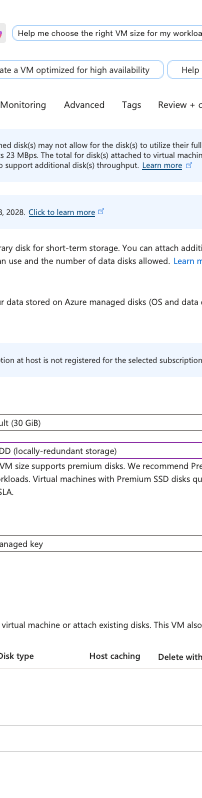
Choose OS Disk Type as Standard HDD.
Leave other setting as default and create VM.
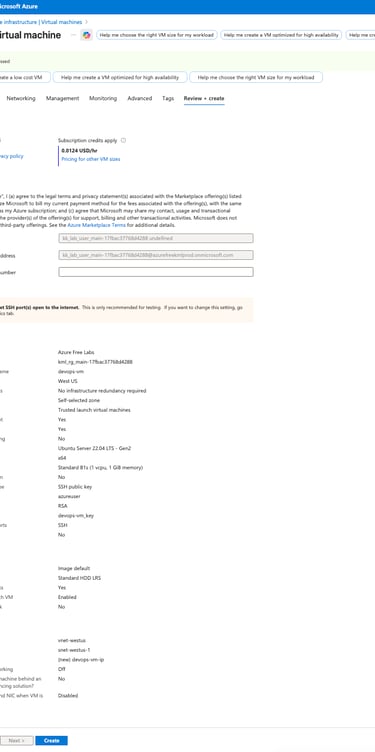
Review + Create
Create.
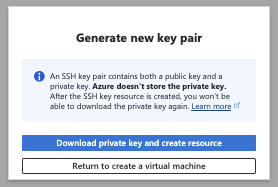
Download private key and create resource.
Day 2 of 100 Days of Cloud (Azure Edition) : Cheers



Transform the downloaded key file into private key via provided command in your local.


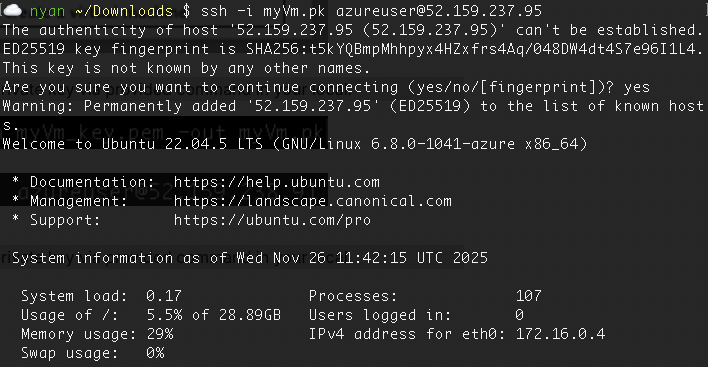
Try to login into the created VM via ssh command by using private key and public ip.


Verify that you can access into the created Azure VM via ssh.