100 Days of Cloud (Azure Edition)
Day 19 of Cloud (Azure Edition)
AZURE
Nyan
12/11/2025
Day 19: Convert Public Azure Blob Container to Private
Task: The Nautilus DevOps team has been using Azure Blob Storage to manage their data. Recently, they realized that one of their containers, currently public, needs to be restricted for internal use only. Your task is to convert a public Azure Blob container to private.
Two blob containers named xfusion-container-17014 and xfusion-priv-1698 are available in the East US region within the storage account xfusionst19772. The xfusion-container-17014 is currently public, and xfusion-priv-1698 is private.
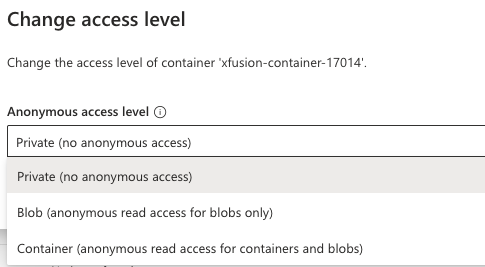
1) Convert the blob container xfusion-container-17014 from public to private while leaving xfusion-priv-1698 unchanged.
2) Make sure the access level for xfusion-container-17014 is set to private with no public access.
Use below given Azure Credentials: (You can run the showcreds command on the azure-client host to retrieve credentials)
Day 19 of 100 Days of Cloud (Azure Edition) : Solution
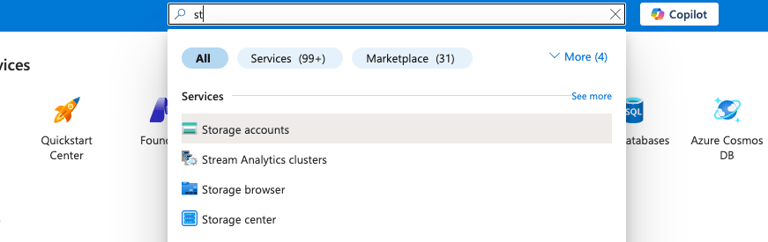
Type st in the search box and choose Storage accounts.
Day 19 of 100 Days of Cloud (Azure Edition) : Cheers


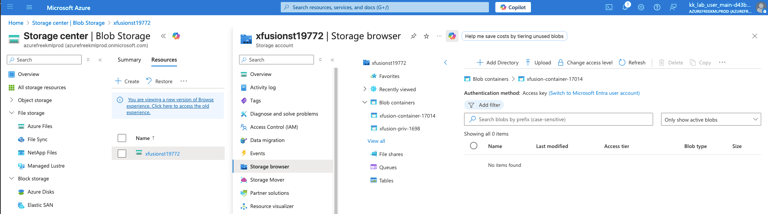
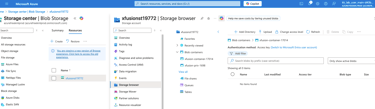
Choose the existing storage account and expand the Data storage tab.
Choose the xfusion-container-17014 container and click change access level to change the access level permission of storage container. Change from Container to Private (no anonymous access).