100 Days of Cloud (Azure Edition)
Day 16 of Cloud (Azure Edition)
AZURE
Nyan
12/9/2025
Day 16: Create a Private Azure Blob Storage Container
Task: As part of the data migration process, the Nautilus DevOps team is actively creating several storage containers on Azure. They plan to utilise private Blob containers to store the relevant data. Given the ongoing migration of other infrastructure to Azure, it is logical to consolidate data storage within the Azure environment as well.
Create a new storage account named devopsst23493 and a private Blob container named devops-blob-31992 within the storage account.
Day 16 of 100 Days of Cloud (Azure Edition) : Solution
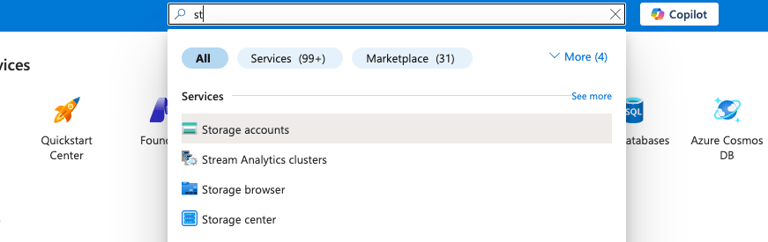
Type st in the search box and choose Storage accounts.
Day 16 of 100 Days of Cloud (Azure Edition) : Cheers


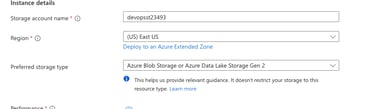
Choose the existing resource group and give the storage account name as devopsst23493 as provided in lab.
Choose Preferred storage type as Azure Blob Storage or Azure Data Lake Storage Gen 2.
Choose Performance as Standard.
Choose Redundancy as Locally-redundant storage (LRS).
Click Review + Create button.


For creating the Private Blob container, choose Storage browser inside of newly created storage account.
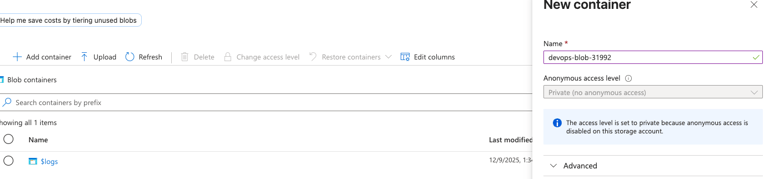
Choose Blob containers and click Add container.
Provide the name as devops-blob-31992 for private blob container and click create.